You made a great cup last week. You have no idea what you did.
Last Notes connects your beans, your brews, and your tasting notes — so you can repeat the good ones and learn from the rest.
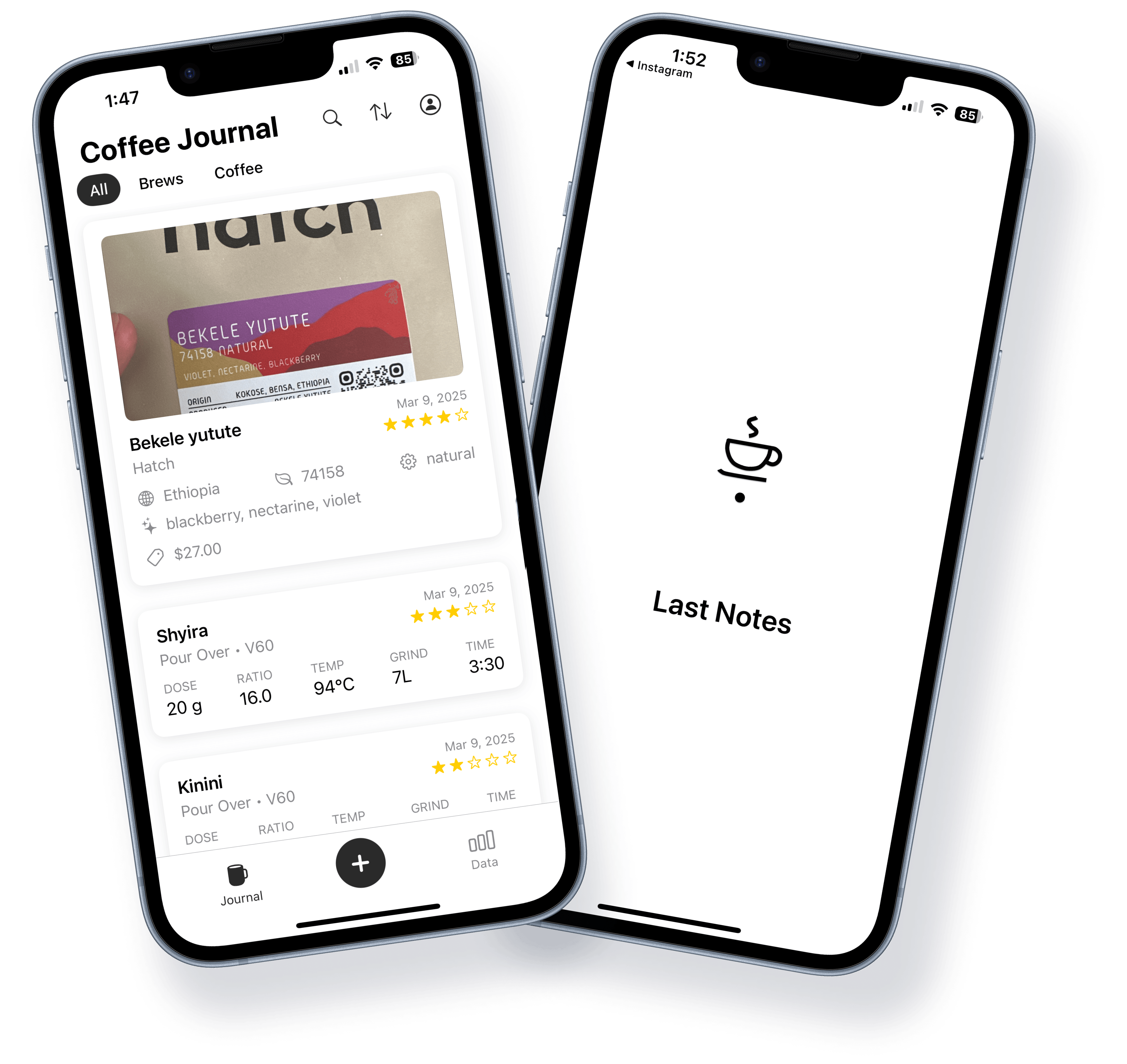
Everything connects back to the bag.
Start with the bean. Build from there.
Bag Tracking
Capture roaster, origin, process, variety, flavors, rating, price, and roast date. Add up to 3 photos per bag—no more forgetting what you bought.
Brew Tracking
Home brews: method, device, grind, dose, water, time, temp, rating. Café brews include location—so you know exactly where you had that perfect cup.
Vision Scanning
Take a photo of the bag. The app reads the label—roaster, origin, process, variety, flavors—and fills in the details. No typing required.
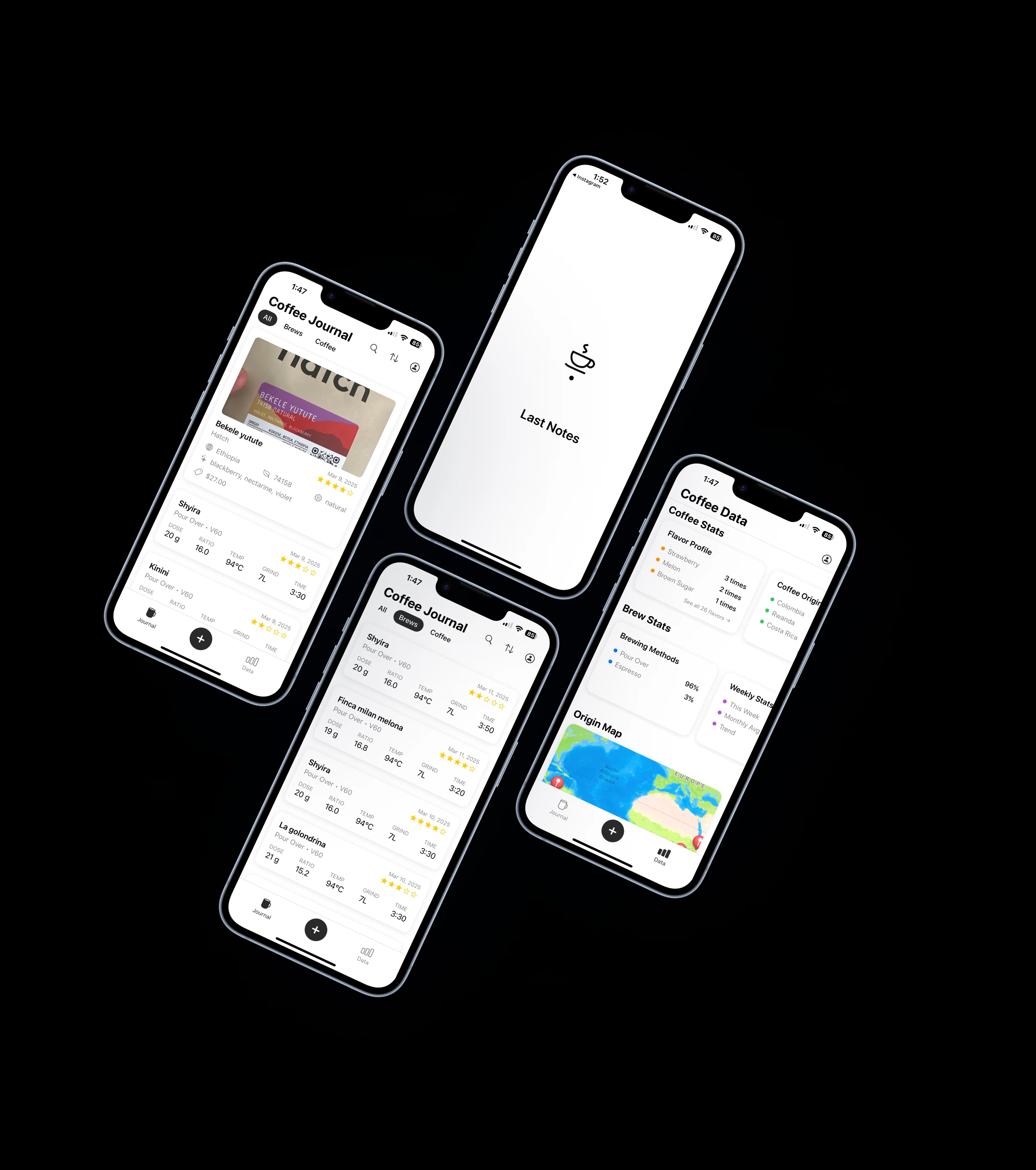
Scan the bag. Skip the typing.
Take a photo of the bag. The app reads the label and pulls out roaster, origin, process, variety, and flavor notes—so you can add a bag in seconds instead of minutes.
Less typing, more brewing. It's the fastest way to start your coffee journal.
See patterns you didn't know were there.
Your brews tell a story. Last Notes helps you read it.
Flavor profile explorer
Which tasting notes show up most? See your flavor habits at a glance.
Roaster stats
Your favorite roasters, bag counts, ratings, and how much you've spent.
Brew history charts
Track brews over time and spot what's working.
Origin map
Pins across the coffee belt—see where your beans come from.
Price history
Filter by price range and keep tabs on your coffee spend.
Peak brew time
When do you brew the most? Find your perfect coffee rhythm.
And a few more things
Gear & equipment tracking
Log your grinders, brewers, and go-to setup.
Shareable bag & brew cards
Dark and light styles—ready to share.
Dark mode
Easy on the eyes, day or night.
iCloud photo backup
Your bag photos stay safe and synced.
Loved by coffee enthusiasts
TestFlight users are already logging their bags and brewing better.
“Finally I can remember what I did when a cup turns out great. Game changer for dialing in new beans.”
“The bag tracking is exactly what I needed. No more guessing which grind setting worked for that Ethiopian.”
Need help?
Email Support
coffeeliteapp@gmail.comFollow Us
Frequently Asked Questions
What is Last Notes?
Last Notes is a coffee journal that helps you log each bag, record brew parameters, and capture tasting notes—so you never lose a winning recipe again.
Is Last Notes free?
Yes, Last Notes is currently available for free through TestFlight beta testing.
What features does Last Notes offer?
Vision scanning reads bag labels from a photo. Bag tracking captures roaster, origin, process, variety, flavors, rating, price, roast date, and photos. Brew tracking covers home and café (with location). Analytics include flavor profiles, roaster stats, brew history, origin map, and price history. Plus gear tracking, shareable cards, dark mode, and iCloud backup.
How do I get started?
Download Last Notes from the App Store, add your first bag, and start logging brews. The app guides you through each step.